
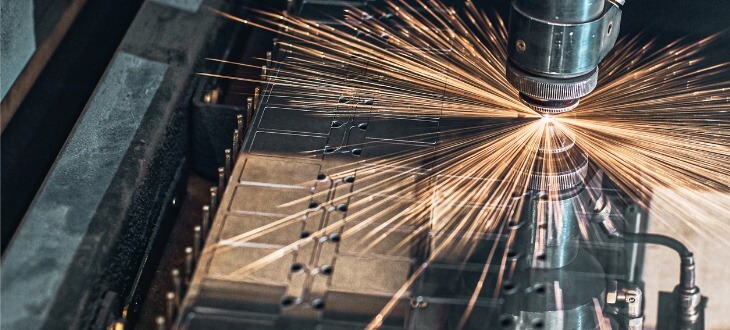
CNC machining has transformed modern manufacturing — turning hours of skilled manual labor into a fast, repeatable, automated process. But even for those familiar with the technology, the question still comes up: How does a CNC machine work, exactly?
This guide breaks it down step by step, from the initial digital design to the final quality inspection.
What is a CNC Machine?
A CNC machine uses computers to control machine tools such as lathes, mills, routers, and plasma cutters. Rather than relying on manual input, a CNC machine follows a precisely programmed set of instructions that dictate every movement, speed, and operation it performs.
Those instructions are written in a language called G-code, generated by CAD (Computer-Aided Design) or CAM (Computer-Aided Manufacturing) software. G-code tells the machine exactly where to move, how fast, how deep to cut, and when to change tools. The result is parts machined to tight tolerances, produced faster, and replicated consistently across thousands of units.
Core Components of a CNC Machine
Every CNC machine is made up of several key parts working in unison:
- Controller: The brain of the machine; receives the G-code and sends commands to all other components.
- Drive Motors: Move the cutting tool or workpiece along the X, Y, and Z axes.
- Spindle: The rotating component that drives the cutting tool.
- Tool Holder: Securing the cutting tool in place; often paired with an automatic tool changer (ATC).
- Workpiece & Fixturing: The raw material being cut, held firmly by a vise or custom fixture.
- Software: CAD creates the model; CAM converts it into G-code.
How Does CNC Machining Work? Step-by-Step
Step 1: Design the Part in CAD
Every CNC machining job begins with a digital design. Engineers use CAD software—such as AutoCAD, SolidWorks, or Fusion 360—to create an accurate 3D model. This digital blueprint captures every dimension and contour the finished part must have.
Step 2: Generate G-Code Through CAM
The CAD design is brought into CAM software to generate tool paths. The CAM system translates the visual design into machine instructions, determining the most efficient sequence of cuts. The output is a G-code file ready for the controller.
Step 3: Set Up the Machine
This is where the “real world” meets the “digital world.” Key setup tasks include:
- Loading the G-code: Transferring the file into the CNC controller.
- Installing Tooling: Securing end mills, drills, or cutters into tool holders.
- Securing the Workpiece: Bolting down the raw material to ensure zero movement.
- Setting the Part Zero (The Datum): The operator “zeros” the coordinates at a specific starting point ($X=0, Y=0, Z=0$).
- Setting Tool Offsets: Measuring tool lengths so the machine knows exactly how far to move the Z-axis.
Step 4: Run the Machining Operation
The controller sends commands to the drive motors, moving the tool along programmed paths while the spindle rotates. Depending on the project, the machine may perform:
- Milling: Moving a rotating cutter across the surface.
- Drilling: Creating holes of specific diameters.
- Turning: Rotating the workpiece against a stationary tool.
- Plasma cutting: Using an ionized gas jet to cut conductive metals.
Step 5: Post-Processing and Quality Inspection
After machining, parts are deburred (removing sharp edges), cleaned, and inspected using calipers or CMMs (Coordinate Measuring Machines) to confirm they meet the original specifications.
Step 6: Repeat with Consistency
The machine can run the same program indefinitely, producing identical parts every time. Whether the run is 10 parts or 10,000, each one is machined to the same specification with minimal variation.
Types of CNC Machines and Materials
CNC machines are remarkably versatile. Below is a breakdown of common machine types and the materials they typically process.
| Machine Type | Primary Use |
|---|---|
| CNC Mills | Complex 3D shapes, slots, and contours. |
| CNC Lathes | Cylindrical parts like shafts, pins, and fittings. |
| CNC Plasma Cutters | Slicing through conductive metals (Sheet metal/Structural steel). |
| CNC Routers | Softer materials like wood, foam, and plastics. |
Commonly processed metals include Structural Steel, Stainless Steel, Aluminum, Titanium, and Copper. For a closer look at these processes, check out our article on CNC metal cutting.
Harness the Power of CNC Machining with Tampa Steel & Supply
At Tampa Steel & Supply, we offer professional CNC plasma cutting services alongside an extensive inventory of steel and specialty metals. With nearly four decades of experience, our team is ready to help you take your project from design to finished part.
Ready to get started?
Request a quote online or call Tampa Steel & Supply at (813) 241-2801